


Getting Started On Valla Hub: Account Creation
1. Visit Valla Hub Homepage:
Navigate to the Vallahub website at VallaHub.com

2. Sign Up:
Once on the homepage, click the Sign Up button located at the top of the page.

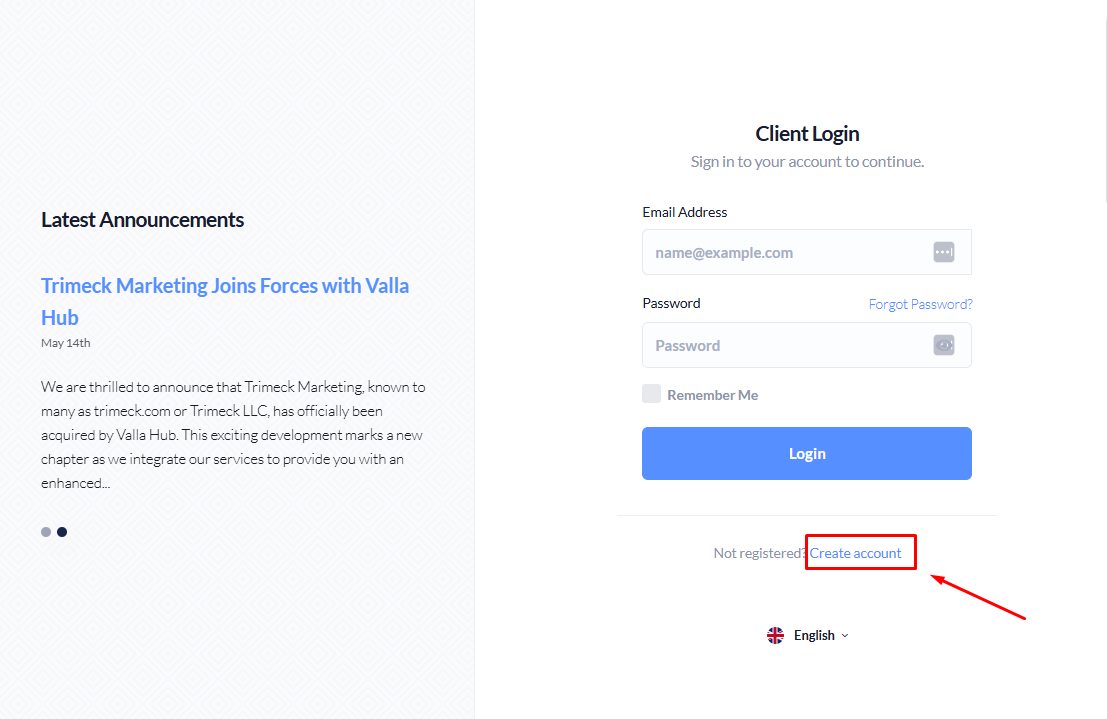
3. Click "Not registered? Create account"
After hitting the "Sign Up" button, you will be redirected to the login page. Here, click the “Not registered? Create account” link to access the registration form.
4. Fill in the Registration Form:
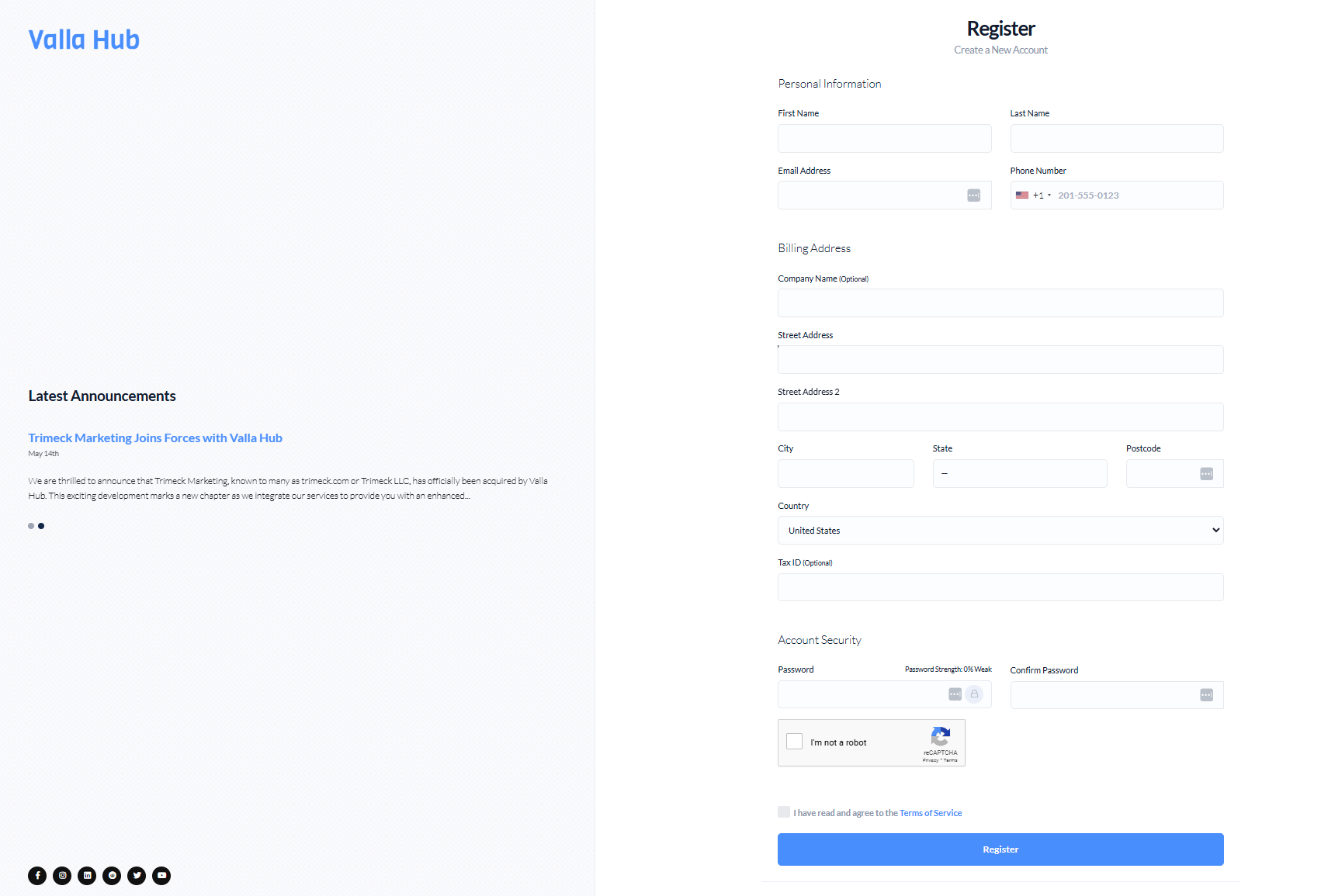
You will be prompted to enter your personal and account security information in the registration form. Provide the following details:
- First Name
- Last Name
- Email Address
- Phone Number
- Billing Address: Street Address, City, Postcode, and Country (United States)
- Company Name (Optional)
- Tax ID (Optional)
- Account Security:
- Create a strong Password
- Ensure your password meets security requirements (password strength will be indicated).
5. Agree to the Terms of Service:
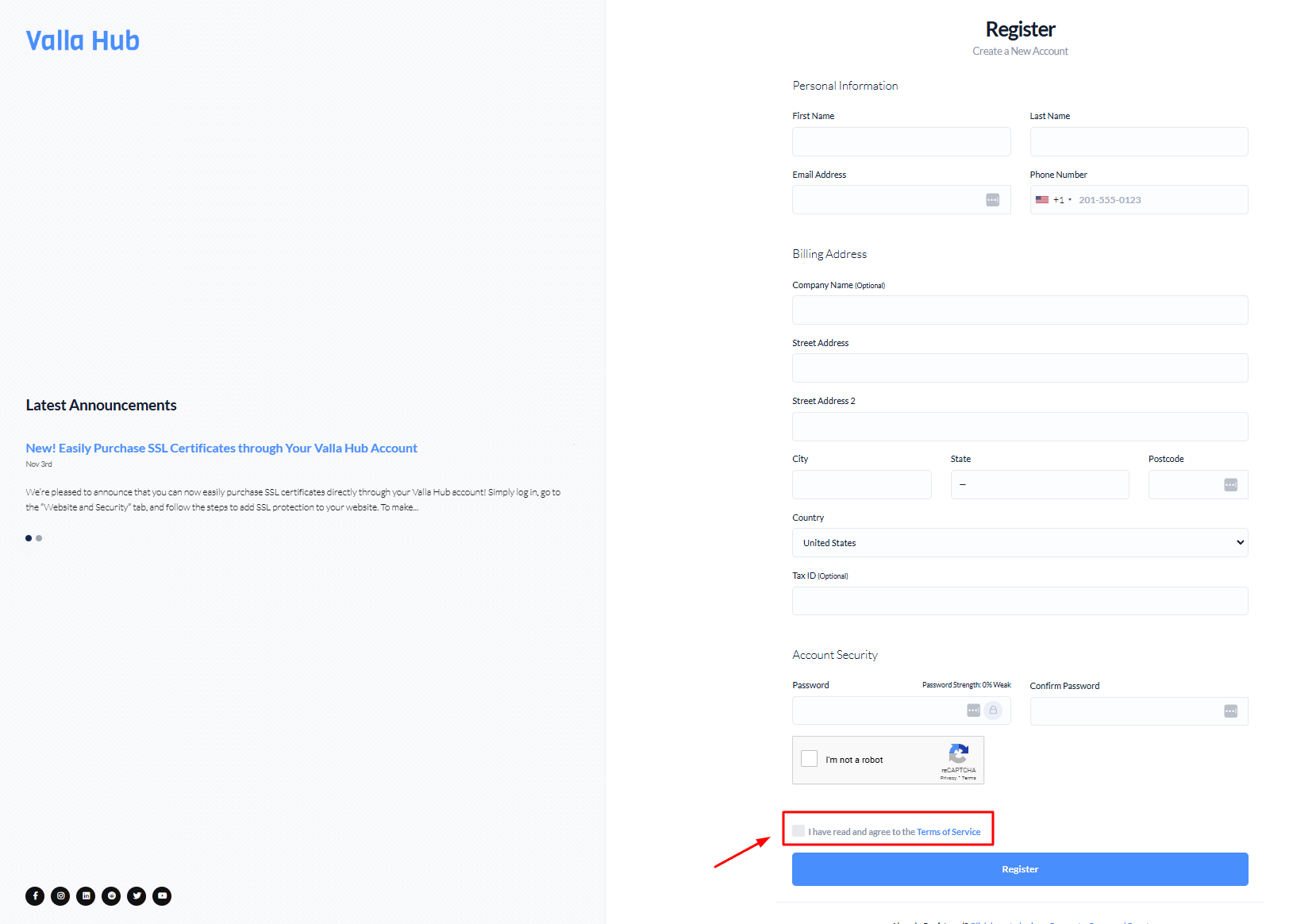
Check the box to indicate that you have read and agree to Vallahub’s Terms of Service.
6. Submit the Form:
After entering all your details, click the "Register" button to create your account.
Congratulations on creating your Valla Hub account!
You’re now equipped with a powerful platform designed to simplify and enhance your online management experience. From hosting to domain management, Valla Hub puts everything you need in one place, so you can focus on growing your online presence with confidence.
We’re thrilled to have you on board—welcome to the Valla Hub community!