


Getting Help: Submitting and Managing Support Tickets in Valla Hub
This article will guide you through submitting and managing support tickets in your Valla Hub client area. Support tickets are an easy way to request assistance for any issues or questions related to your account, ensuring you have access to timely help whenever you need it.
Submitting a Ticket
-
Log into Your Valla Hub Account
Begin by logging into your Valla Hub client area to access all support features. -
Open a New Ticket
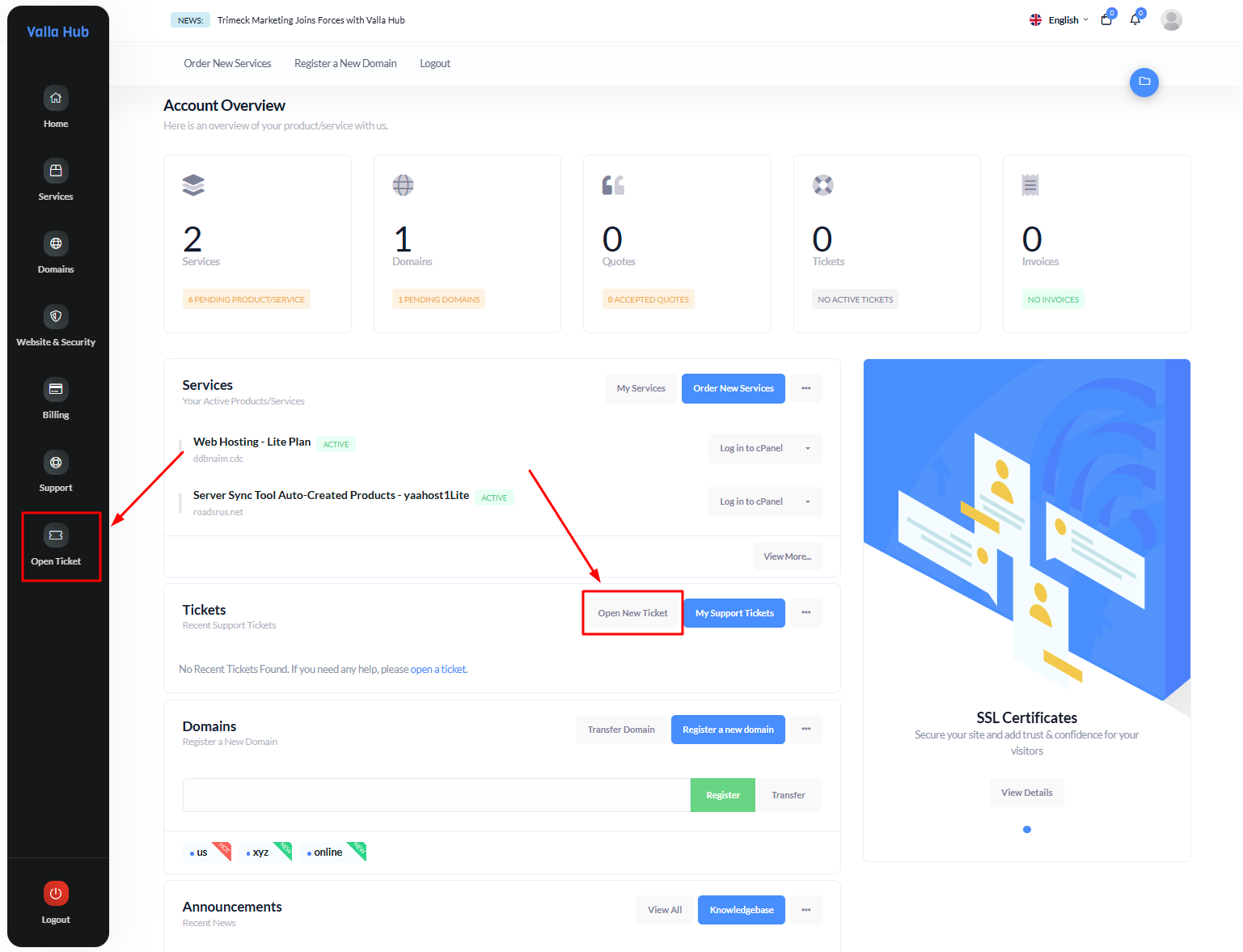
- From the Navigation Bar: Click on the "Open Ticket" option in the left-hand menu to submit a new ticket directly.
- From the Dashboard Overview: Scroll down to the "Recent Support Tickets" section, where you can click the "+Open New Ticket" button. This option is ideal if you’re already on the main dashboard page and want to quickly open a ticket.
Managing Your Support Tickets
Once you’ve submitted a ticket, Valla Hub offers several ways to view and manage your active support tickets. Here’s how:
Method 1: Using the Support Menu
-
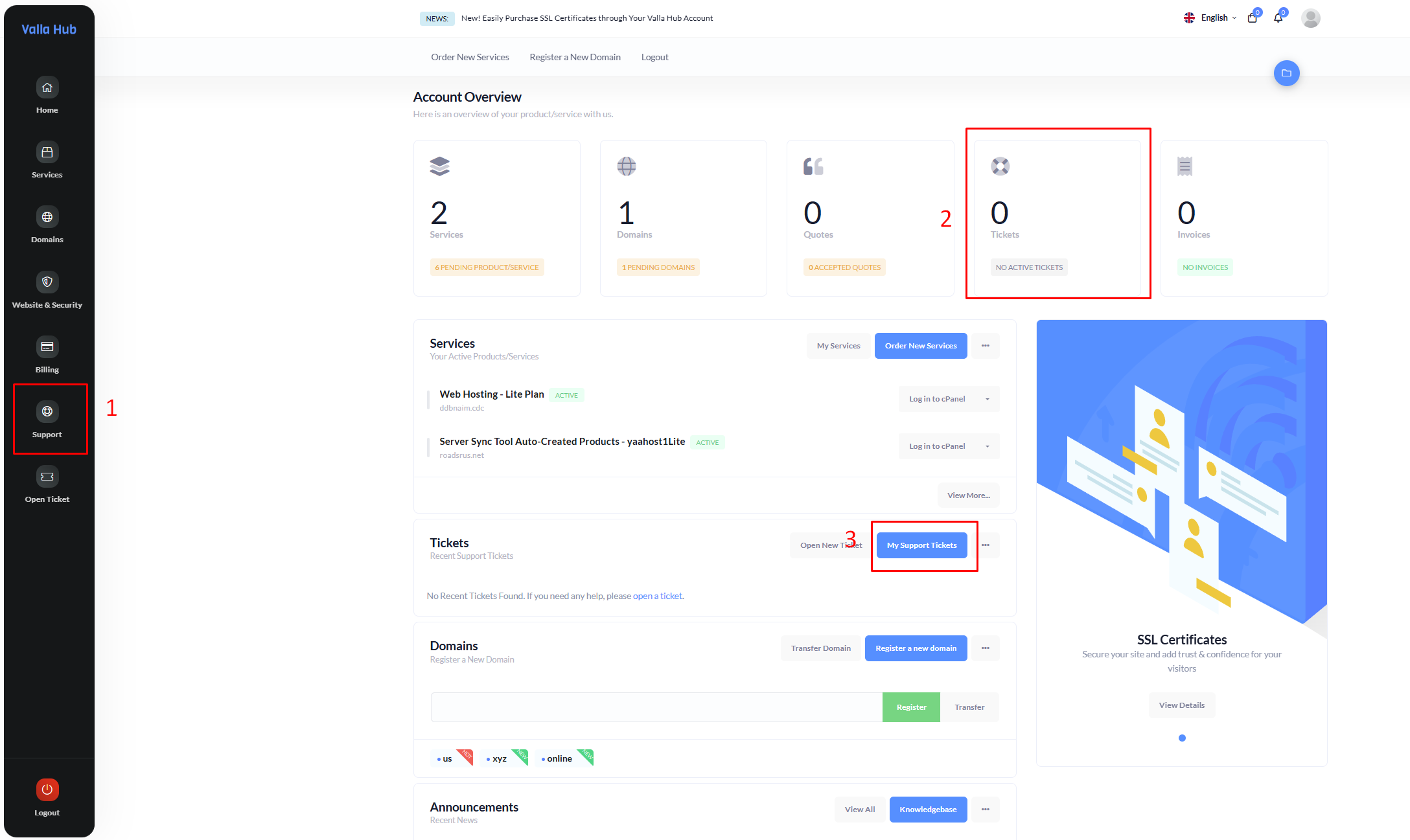
Navigate to the Support Section: On the left-hand menu, click on the Support tab.
-
Access Your Tickets: From the dropdown options, select Tickets to view and manage all your existing support tickets. This is the most comprehensive view, allowing you to see ticket statuses, responses, and updates all in one place.
Method 2: Using the Dashboard Overview
-
Locate the Tickets Box: On the main dashboard, find the "Tickets" section in your Account Overview.
-
Quick Access: Click on the box labeled "0 Tickets" (or the ticket count if you have active tickets) to go directly to your support ticket list. This is a convenient way to monitor your tickets and check for responses at a glance.
Method 3: Using Recent Support Tickets
-
Scroll to Recent Support Tickets: On your main dashboard, scroll down to find the Recent Support Tickets section.
-
Open a New Ticket if Needed: If no tickets are currently listed, you can click the "+Open New Ticket" button here to submit a new request for assistance. This section keeps your most recent tickets visible, making it easy to check updates or submit a new ticket as needed.
Managing your support tickets in Valla Hub is straightforward and helps ensure your issues get resolved quickly. By keeping track of your open tickets and responding to any updates, you’ll receive the support you need to keep your services running smoothly.
If you have any further questions, feel free to open a ticket anytime!