


How to Set Up Automatic Payments in Valla Hub
Keeping your domains and hosting plans active is essential, and setting up automatic payments can make that hassle-free! In this guide, we’ll show you the simple steps to turn Auto-Renew on or off for your domains and hosting plans in Valla Hub.
1. Log In and Find Your Domains
- Log in to your Valla Hub account.
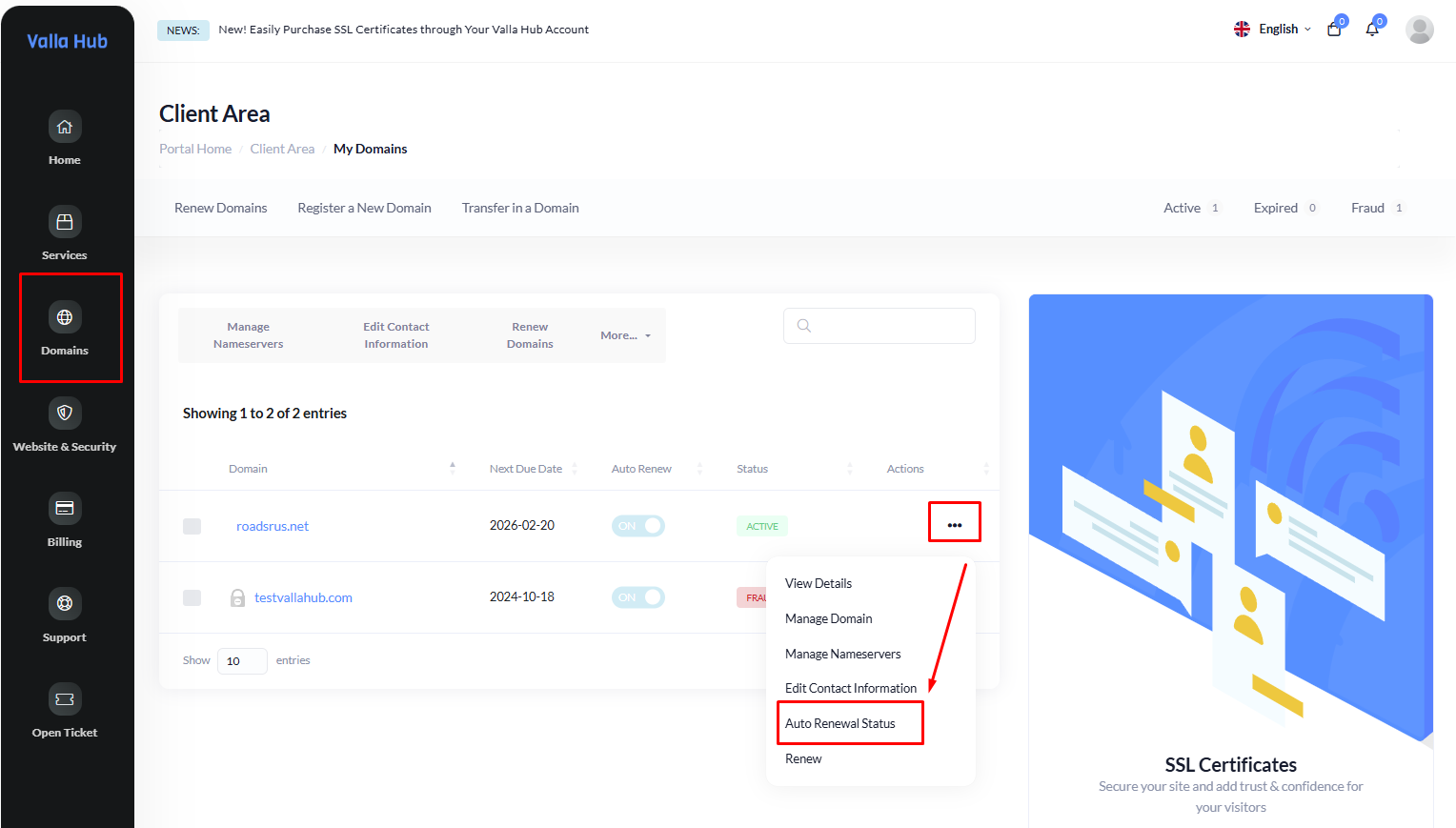
- From the Left Menu panel, hover to Domains and click on My Domains to see a list of all your domains.
2. Turn On or Off Auto-Renew for Domains
- Find the domain you want to set up for auto-renewal.
- Click on the three dots for more options.
- In the options, look for Auto Renew and turn it On or Off based on your preference.
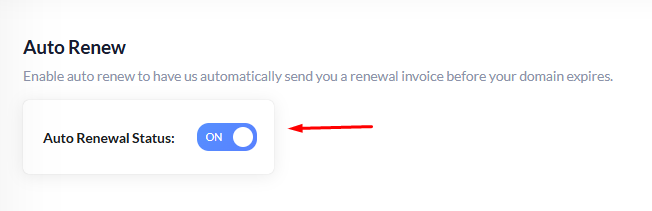
Tip: Turning on Auto-Renew means your domain will renew automatically before it expires, so you never lose it!
3. Auto-Renew for Hosting Plans
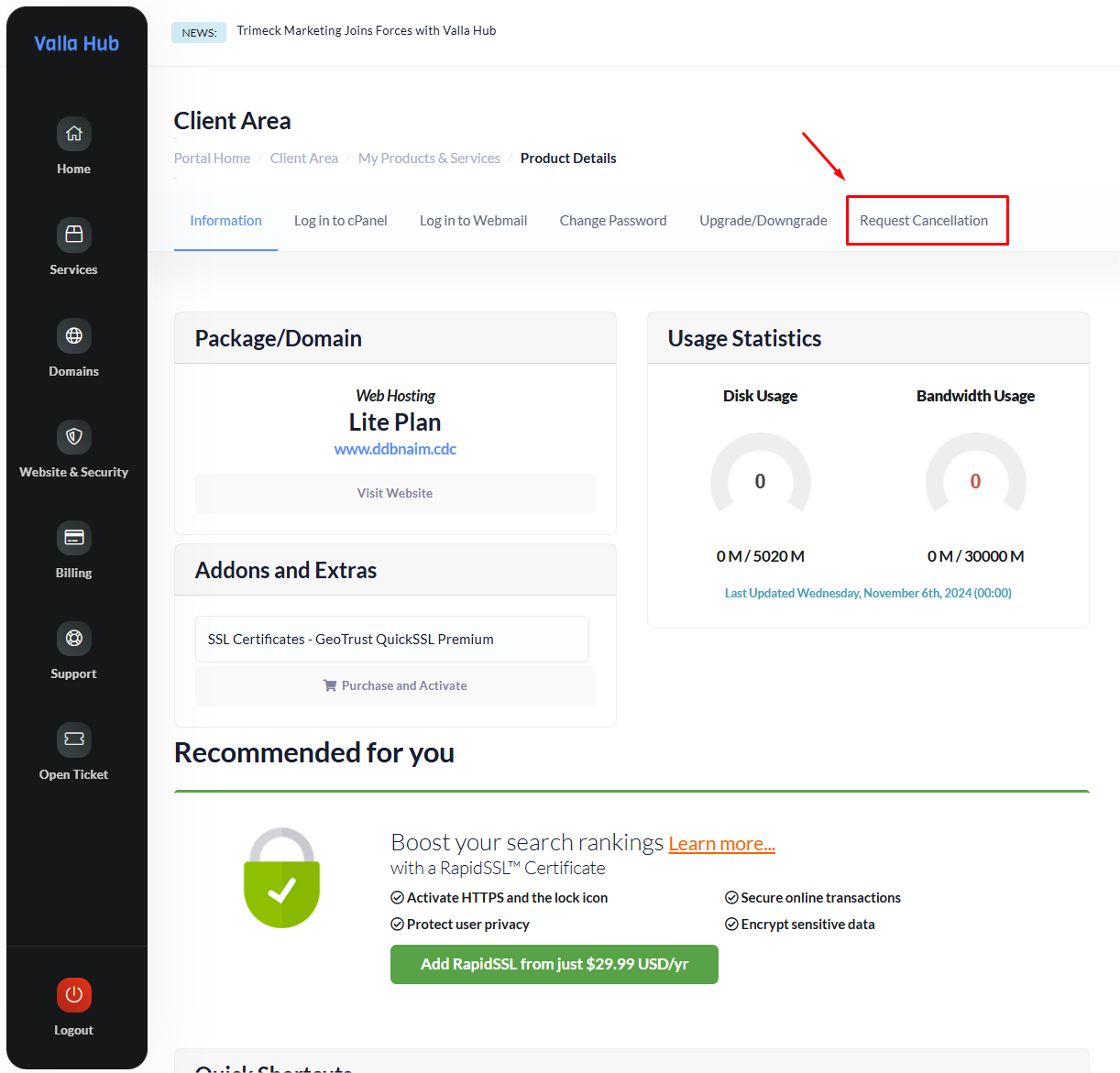
Most hosting plans have Auto-Renew already on, so you don’t have to worry about manually renewing every month or year. However if you want to stop auto-renewal for a hosting plan, simply submit a Cancellation Request. Here's how:
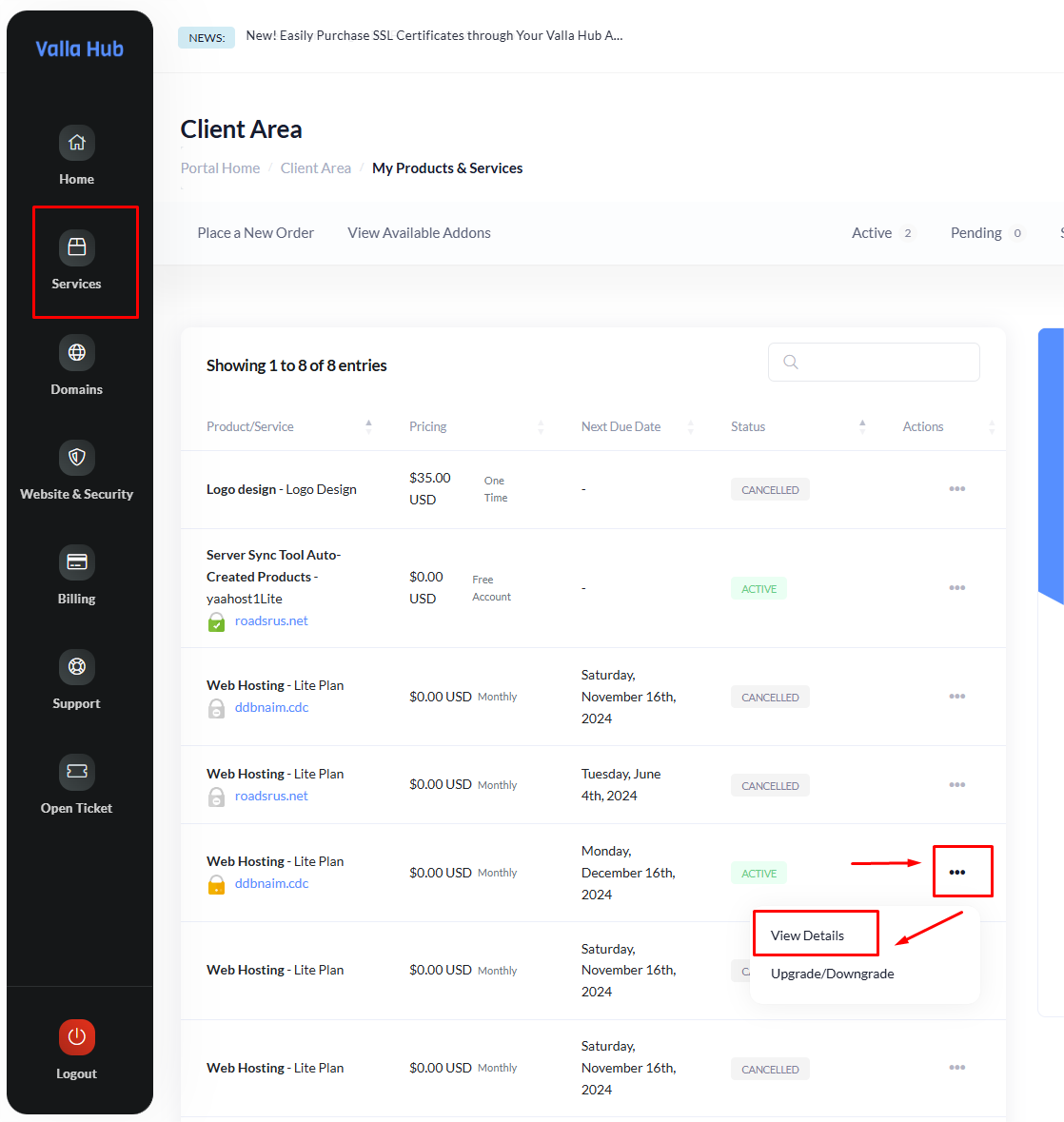
- Click on Services and find My Services to see all your hosting plans.
- Find the hosting plan you want to manage, and click on the three dots to get the View Details option.
Wrapping Up
And that’s it! You’re now set to manage your automatic payments effortlessly in Valla Hub. Automatic payments can save you time and make sure your services stay active without interruptions.
If you have any questions or need further assistance, our friendly support team is here to help!